

Recon
After doing common tasks like subdomain enumeration, I found a complex web application with many features that allowed users to set up their own e-commerce sites. Working on and setting up the website was quite difficult, as I couldn't create a valid e-commerce site within several hours. This was a critical moment because many hunters may drop the target when they encounter complexity or a difficult registration or setup process. However, I chose to spend some time here, and it worked!
So I started reading many documents and watching the company's YouTube videos to
figure out how I could make my website with a subdomain on the platform. For
example, I could set up a website like evil.freehost-target.com.
Analyzing the Target
Usually, in companies that allow users to set up their own websites, XSS is not
an issue since they allocate a completely different domain to users. For example,
the Hostinger program on H1 has a
main domain hostinger.com, but the user free hosting is set up on
*.000webhost.com. According to this fact, these companies let users
upload arbitrary JavaScript code, resulting in XSS, or better to say, a useless
XSS as it isn't exploitable. In our target, we had the same situation; we could
trigger XSS, but we couldn't use it in any way.
I kept this in mind: I have a useless XSS in a useless subdomain. I didn't stop hunting; it's very important not to fall into the rabbit hole and always try to explore different parts of the target. Consequently, I found an interesting API call on the company's main website. The API call response included user PII data and an Authentication Cookie (I know it's not common to return an authentication cookie in a JSON object).
Immediately I tested the API for CORS misconfigurations and noticed that it
allowed access from *.freehost-target.com, potentially opening it
up to security risks.
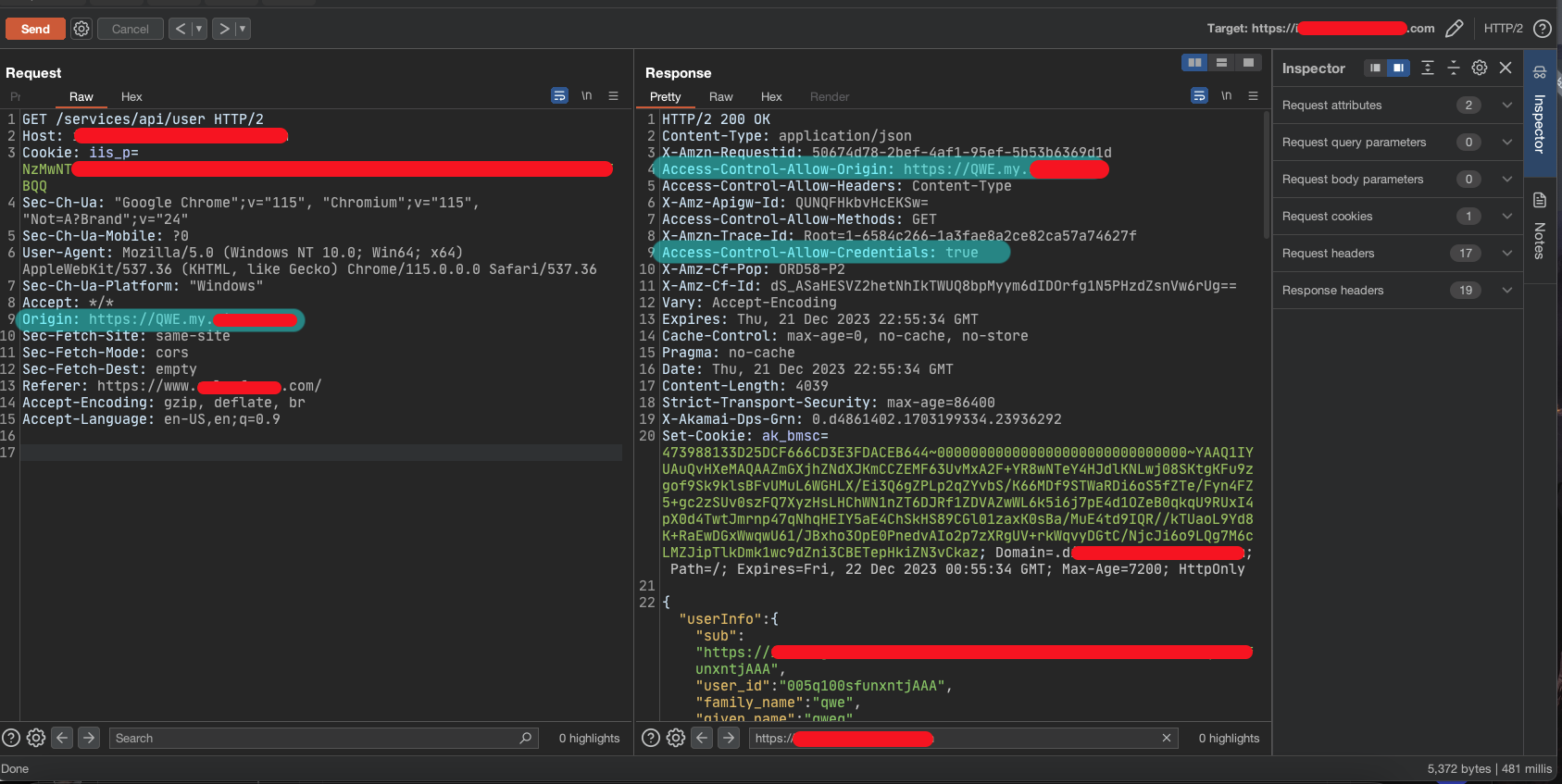
I had two flaws (or not even flaws?) here:
- a useless XSS in
*.freehost-target.com - a sensitive API that had
*.freehost-target.comin its trusted domains
Most of you can see the vulnerability here, chaining up two flaws to steal other users' information and authentication cookies. However, it couldn't happen, and the important question is: WHY?
I created a page with malicious JavaScript code to send an authenticated HTTP
request on behalf of the victim to the sensitive API, aiming to capture the
victim's authentication cookie. Everything was okay until I realized that I
didn't receive the authentication cookie. Digging more into the exploit code and
the traffic led me to find out that there is a connect-src CSP
header (read more about it
here)
preventing the victim from sending the HTTP request to the sensitive endpoint
(let's call it cookie-endpoint)
The attack scenario:
- Set up a malicious website, like
evil.freehost-target.com - Trick a victim into opening
evil.freehost-target.comwhile they are logged in to the main website - JS code → send an authenticated HTTP request to the
https://mainsite/cookie-endpointand capture the response, which contains the authentication cookie → FAILED because of the CSP rules - JS code → sending the victim's data to the attacker's website. → We couldn't exfiltrate data directly due to CSP → FAILED
CSP Rules
The CSP rules of the main domain were something like this:
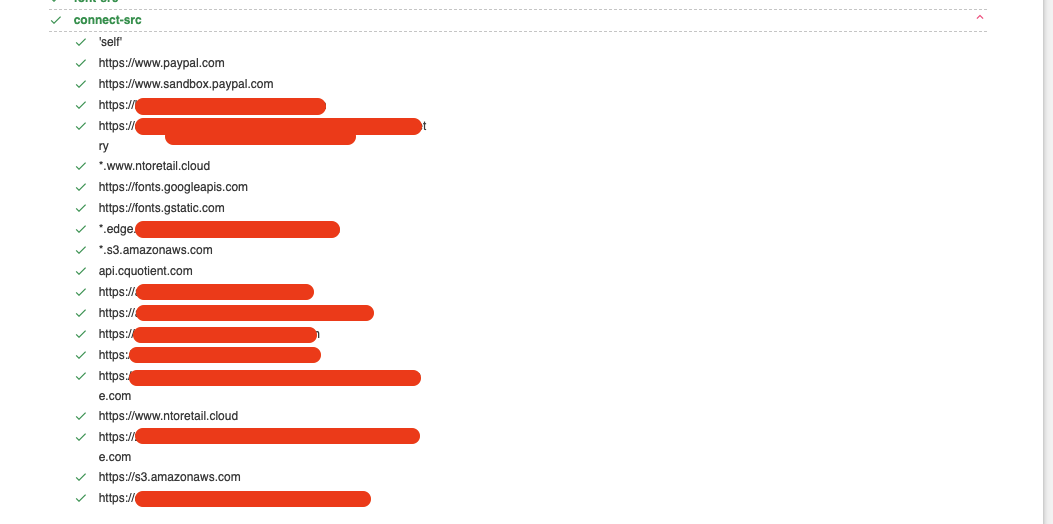
As seen, the https://mainsite/cookie-endpoint is not on the
whitelist, so I couldn't force the victim to send the request to that endpoint
and get the Auth Cookie. I tried different ways to get bypass the CSP rules but
I couldn't find anything, so I started the collaboration with
YShahinzadeh. Eventually, we found
out that the website owner could add trusted websites in the CSP rules:

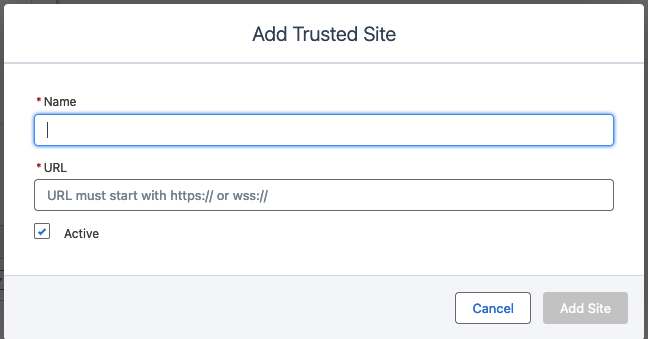
This is the response we received when we added a website https://mainsite/cookie-endpoint to the Trusted Sites list
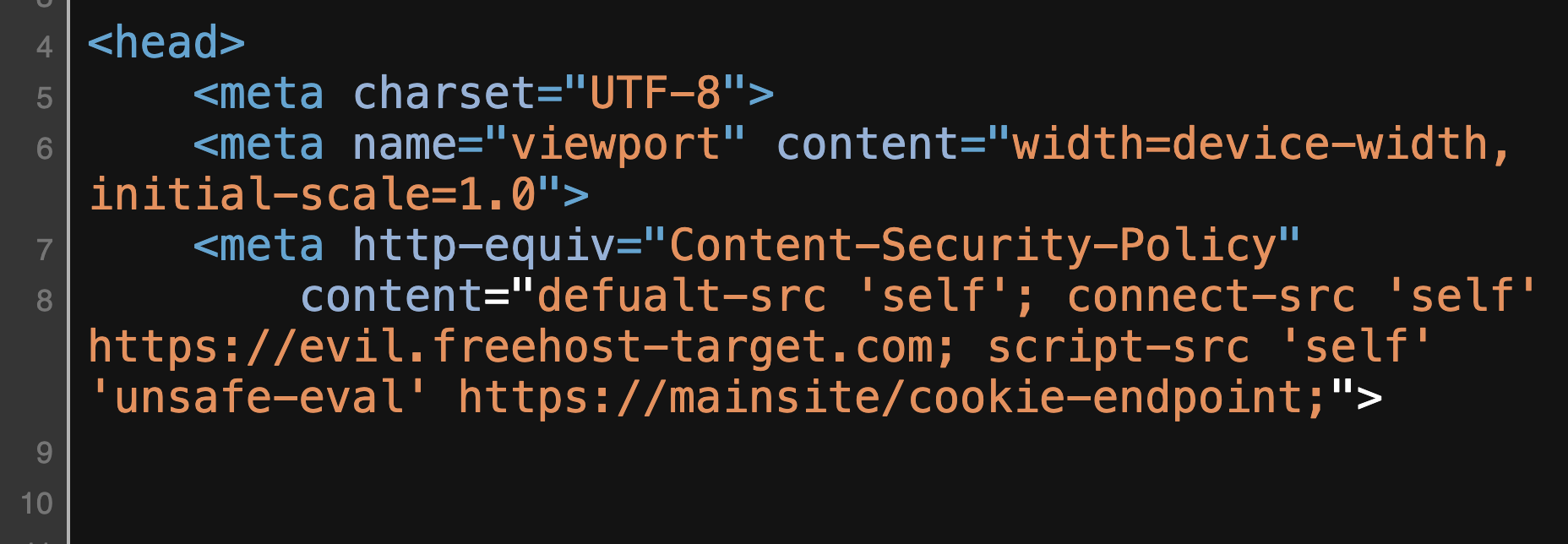
Unfortunately, as shown in the image, our trusted website was added to the
script-src directive value. We could load remote scripts from
https://mainsite/cookie-endpoint, but we couldn't get the response
and parse it to retrieve the Auth Cookie.
The Way of Bypass
In the first step, we tried to break the meta tag to ignore connect-src the part:
https://mainsite/cookie-endpoint "><!--
But it didn't work, and some restrictions on the server side stopped us here,
since the " was filtered and we could not break it. Afterwards, we
tried adding another directive such as connect-src to see how the
website and browser would react:
https://mainsite/cookie-endpoint;%20connect-srcResulted in:
<meta http-equiv="Content-Security-Policy"
content="defualt-src 'self';
connect-src 'self' https://evil.freehost-target.com;
script-src 'self' 'unsafe-eval' https://mainsite/cookie-endpoint; connect-src">
as you can see We were able to add a new CSP rule, In the next step, we added a payload like this to include the target in the new connect-src:
https://mainsite/cookie-endpoint;%20connect-src https://mainsite/cookie-endpoint;Resulted in:
<meta http-equiv="Content-Security-Policy"
content="defualt-src 'self';
connect-src 'self' https://evil.freehost-target.com;
script-src 'self' 'unsafe-eval' https://mainsite/cookie-endpoint;
connect-src https://mainsite/cookie-endpoint;">
This payload adds a new connect-src CSP rule at the end of the CSP. However, when we tried to execute the exploit, we got the connect-src CSP error again:

I was a bit confused here! Why wasn't it working? To find the answer, we set up a simple test-bed to understand how the browser behaves in this situation.
After some testing, we noticed that the browser only applies the first CSP rule.
For example, in this case, it only considers
connect-src 'self' https://evil.freehost-target.com; as the CSP rule
and ignores connect-src https://mainsite/cookie-endpoint;
So, we paused because we ran out of testing ideas and weren't sure what to do next. We began trying some unconventional tests to understand what was happening in the backend code.
After some time, we noticed that when we added a new connect-src
with a value from the default connect-src, the
connect-src moved to the end of the tag, and the new one was added
to the end of the CSP. Let's look at an example:
https://evil.freehost-target.com;%20connect-src https://mainsite/cookie-endpoint;<meta http-equiv="Content-Security-Policy"
content="defualt-src 'self';
script-src 'self' 'unsafe-eval' https://evil.freehost-target.com;
connect-src 'self' https://evil.freehost-target.com; https://mainsite/cookie-endpoint;">
Considering the response above, you can see that
https://mainsite/cookie-endpoint is now added to the
connect-src value. This allowed us to bypass the security measure
successfully. As a result, the security barrier in the third part of the attack
scenario was removed. We used the same technique to overcome the fourth part as
well. By combining the out-of-scope XSS vulnerability, CORS misconfiguration, and
CSP bypass, we successfully changed them together to obtain the victim's
Authentication Cookie.
Final Words
Understanding how things work is a crucial part of the hacking process, and you shouldn't limit yourself to predefined test cases or bug bounty tips. You should dive deep into an application, analyze its parts, and connect flaws to find significant vulnerabilities. Remember, every complex system is made up of small components, and these components can create inconsistencies and reveal different vulnerabilities. Thanks for reading, happy hacking! :)